
7 Best Tools for Planning a Creative Project That Stick
Last Updated: November 17, 2026
Quick Summary
The best tools for planning a creative project combine task tracking, visual workflows, file sharing, and approval tools in one place, and the right pick depends on how your team actually works rather than feature count. Choose the simplest option your team will log into daily, and run one real project through a free trial for two weeks before committing.
- Write a one-page project brief stating goal, audience, deliverables, and out-of-scope items before opening any tool.
- Mark task dependencies so bottlenecks surface early, since a mixing session can't start until vocals are tracked.
- Build one internal review, one client review, and one final sign-off into the timeline.
- Stay on free tiers until you hit the same limit twice in one month, then upgrade.
- Keep your reusable planning template to one page, because sprawling templates never get used.
Table of Contents
- Why Creative Project Planning Fails Without the Right Tools
- How to Plan a Creative Project From Brief to Delivery
- Creative Project Management Software: What to Look For
- Free Project Planning Tools That Cover the Basics
- Building a Creative Project Planning Template That Works
- Matching Tools to Project Type and Team Size
- Budgeting, Resource Allocation, and Avoiding Scope Creep
- Start With the Rockstar's Blueprint Bundle
- Frequently Asked Questions
Why Creative Project Planning Fails Without the Right Tools
Most creative projects don't fail from a lack of talent. They fail from scattered notes, missed deadlines, and no shared place to see what's happening.
The problem is rarely motivation. It's that the best tools for planning a creative project do two jobs at once: they hold the structure so your energy goes into the work, not the admin. A musician juggling a recording session, a video shoot, and a release date needs one source of truth. Without it, every update lives in a different app, and the project drifts.
There's a second failure point most guides skip: creative fatigue. When you're running on fumes, planning feels like one more chore. The right tool should reduce friction, not add it. That's the filter we used to evaluate everything below.
How to Plan a Creative Project From Brief to Delivery
Planning a creative project means turning a rough idea into a brief, a task map, and a set of review checkpoints before any work begins. The process has three stages, and skipping any one of them is where most projects go sideways.

Step 1: Write the Brief and Define Scope
A project brief is a one-page document stating the goal, the audience, the deliverables, and what is explicitly out of scope. Write it before you open any tool. The brief is your defense against scope creep later, and it takes twenty minutes to draft.
Step 2: Map Tasks, Dependencies, and Milestones
List every task, then mark which ones block others. A mixing session can't start until vocals are tracked. Those are dependencies, and tools that show them visually (Gantt charts, Kanban boards) save you from discovering a bottleneck on deadline day.
Step 3: Set Review and Approval Checkpoints
Build feedback rounds into the timeline instead of reacting to them. One internal review, one client review, one final sign-off. If you're rebuilding after a stalled project, our guide on rebuilding creative confidence after setbacks pairs well with setting up fresh checkpoints.
Creative Project Management Software: What to Look For
Creative project management software is a platform that combines task tracking, visual workflows, file sharing, and approval tools in one place. The best option depends less on feature count and more on how your team actually works. Most roundups list dozens of tools; the more useful exercise is knowing which capabilities separate a tool that sticks from one that gets abandoned. Choosing capabilities around the way work moves through your team also clarifies where automation tools can reduce repetitive handoffs without disrupting creative decisions.
Here is what separates tools that stick from tools that get abandoned:
- Visual workflow views: Kanban boards and Gantt charts make project status obvious at a glance.
- Review and approval tools: Annotation on creative assets beats email threads every time.
- Client access controls: Permissions that let clients comment without editing your files are essential for agencies. Look for guest or client roles that can view and comment but not restructure tasks or see internal budgets.
- Workload visualization: See who's overloaded before a deadline slips.
- Integrations: Connect the storage and communication tools you already use. The practical question is depth: a Slack integration that only sends notifications is very different from one that lets you create and update tasks from inside Slack. Check whether the integration is native or requires a third-party connector like Zapier, because connector-dependent workflows break more often and add cost.
- Time tracking and budget visibility: For client work, time tracking built into the tool beats a separate spreadsheet. If you bill hourly or need to compare hours spent against a fixed fee, confirm the time-tracking feature is included in the plan you are considering rather than an add-on.
What most reviews miss is adoption. A tool nobody opens is worse than a spreadsheet everyone uses. Pick the simplest option your team will actually log into daily. A practical test: run one real project through a free trial with the whole team for two weeks before committing. If people are still updating tasks in the tool by the end of week two, it will stick. If they have drifted back to email and chat, the tool is wrong for your team regardless of its feature list.
Watch out: feature comparisons can push you toward a platform with more capability than your team will configure. A tool with deep customization often requires an administrator to set up templates, permissions, and automations; if nobody owns that setup, the team ends up using ten percent of the platform and paying for the rest.
Free Project Planning Tools That Cover the Basics
Free project planning tools handle the fundamentals well: task lists, simple boards, shared calendars, and basic file storage. For solo creatives and small teams, they're often enough. The useful question is not whether a free tier exists but what it actually lets you do before it pushes you to pay.
A common approach is to start free and upgrade only when you hit a real limit, like needing client permissions or automated workflows. Start lean.
The trade-off is real: free tiers usually cap collaborators, hide timeline views, or limit file storage. If your project involves multiple clients and approval rounds, you'll outgrow free fast. If it's you and a producer, free works fine. A practical rule: stay on free until you hit the same limit twice in one month. The first time is an inconvenience; the second time is a signal that the paid feature is worth the cost.
Watch out: free tiers can change, so confirm the specific features you depend on are still included before you build a workflow around a free plan.
Building a Creative Project Planning Template That Works
A creative project planning template is a reusable structure for your tasks, milestones, and checkpoints that you copy for each new project. Building one saves you from re-planning from scratch every time.
Start with these sections:
- Brief summary and deliverables list
- Task list grouped by phase (pre-production, production, post)
- Milestone dates with dependencies marked
- Review and approval checkpoints
- Asset storage location and naming convention
Keep it to one page. Templates that sprawl never get used. If you want a structured starting point, our 30-day creative momentum plan gives you a ready-made rhythm to plug tasks into.
Matching Tools to Project Type and Team Size
The right tool for a solo EP release is not the right tool for a five-person agency campaign. Match the software to the scale of the work, not the other way around.
| Project Type | Team Size | What Matters Most | Tool Style |
|---|---|---|---|
| Solo recording or writing | 1 | Simplicity, low cost | Free task boards |
| Small band or duo release | 2-4 | Shared visibility, file sharing | Kanban with storage |
| Client creative work | 2-6 | Approvals, client access | Review-focused platform |
| Agency campaign | 6+ | Workload, budget tracking | Full project suite |
If you're unsure which category fits you, a Creative Longevity Coaching Discovery Session is a free 30-minute call to talk through your situation.

Budgeting, Resource Allocation, and Avoiding Scope Creep
Budget tracking and resource allocation are where creative projects quietly bleed. The fix is unglamorous: log hours and costs against the brief from day one.
Scope creep enters through small yeses. "Can you just add one more mix?" becomes three unpaid days. The brief from Step 1 is your answer, and change management means pricing additions rather than absorbing them.
Track two numbers weekly: hours spent versus hours planned, and money spent versus budget. Solo creators can manage with a simple log, but anything with a client needs it built into the tool.
Start With the Rockstar's Blueprint Bundle
The best tools for planning a creative project only work if you have the energy and consistency to use them. That's the gap Metal Goddess Studios is built to help with.
The Rockstar's Blueprint eBook and eWorkbook bundle covers plant-based fuel, hydration, movement, nervous system support, recovery, mindset, boundaries, and community, written for 40+ musicians, artists, and creators. The eWorkbook is a printable and fillable PDF with guided prompts, trackers, and planning pages. If your planning keeps failing because your creative fire has stalled, the Reignite Your Creative Fire eBook is a 7-day challenge to clear the roadblocks first.
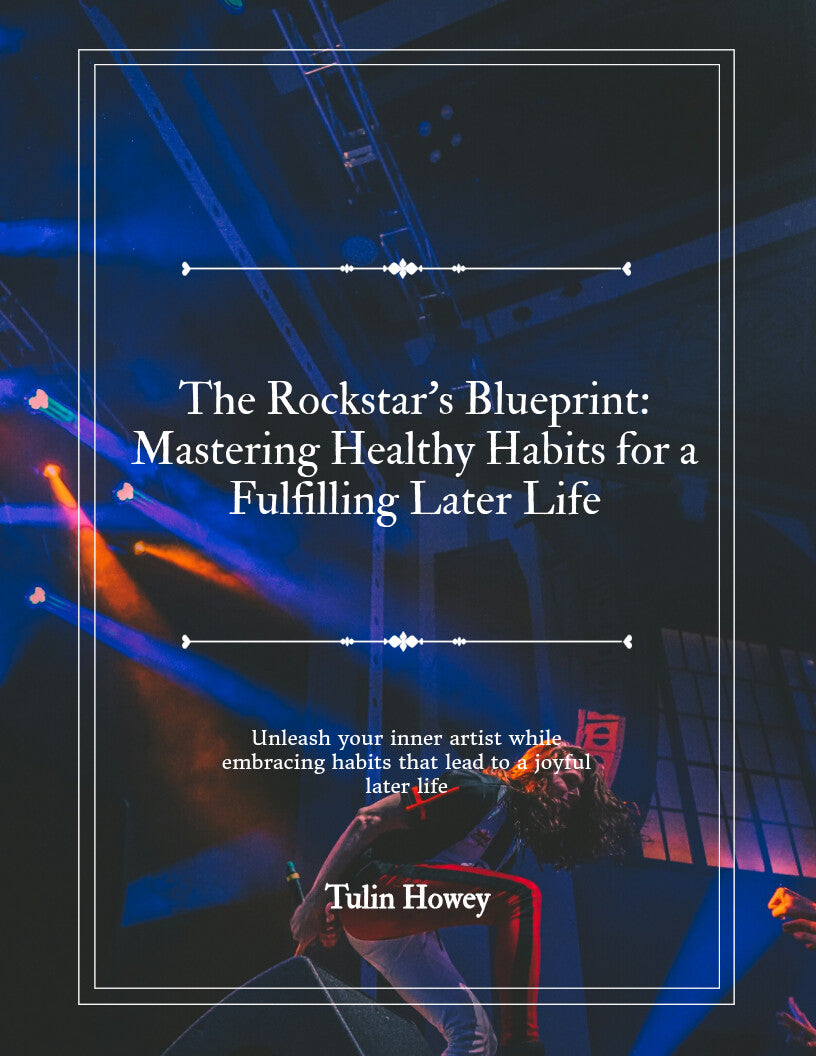

You don't need more apps. You need a rhythm that protects your art and your health at the same time. Get started with Metal Goddess Studios and build a planning system you can actually sustain.
Frequently Asked Questions
Which project planning tools work best for creative projects?
Creative work needs tools that handle visual workflows, file sharing, and revision rounds, not just task lists. Look for Kanban boards, version tracking for creative assets, and approval workflows that let clients comment without editing your files. For solo creators over 40, a simple template plus a free planner often beats a complex platform. Pair your tool with the Rockstar's Blueprint eWorkbook, a printable and fillable PDF with guided prompts, trackers, and planning pages.
Are there free project management tools for artists and freelancers?
Yes. Free project planning tools usually cover task assignment, basic Kanban boards, and a shared calendar for a small number of users. They work well for solo artists and freelancers running one or two projects at a time. The trade-off is limited storage for creative assets and fewer approval features. If you need client access and revision management, you will likely hit a paid tier. Start free, then upgrade only when a real project demands it.
How do you plan a creative project from idea to completion?
Start with a written brief that states the goal, deliverables, audience, deadline, and what is out of scope. Break the work into tasks with dependencies, then set milestones for draft, review, and final delivery. Build in at least one revision round before approval. A creative project planning template keeps these steps consistent so you are not rebuilding the process each time. Review the plan weekly and adjust for setbacks rather than abandoning it.
What are the 5 C's of project management?
The 5 C's are commonly listed as clarity, communication, coordination, control, and completion. Clarity means a defined brief and scope. Communication covers how feedback and status updates flow. Coordination is task assignment and scheduling. Control is tracking budget, timeline, and changes. Completion is the final approval and delivery. Creative projects add a sixth concern: revision management, since feedback loops are where timelines usually slip.
